Piping scripts together
From a terminal, it’s easy to work with AAT analyses using standard I/O redirection.
If you want to create a graphviz dot file directly from an analysis (rather than saving the analysis to a file, and later using that), you can just pipe the output of aat_main.py into aat_to_dot.py:
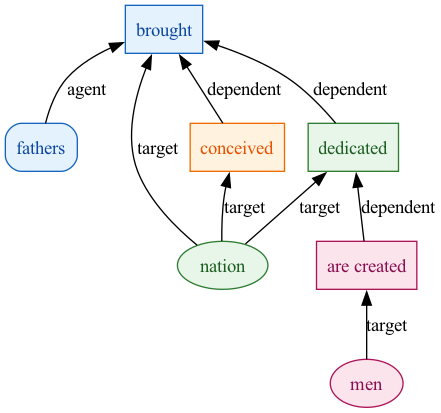
python3 aat_main.py --passage "Four score and seven years ago our fathers brought forth, upon this continent, a new nation, conceived in Liberty, and dedicated to the proposition that all men are created equal." | python3 aat_to_dot.py > lincolnanalysis.dotIf you have graphviz installed on your system, you can extend the pipeline to create an image file in a single line:
python3 aat_main.py --passage "Four score and seven years ago our fathers brought forth, upon this continent, a new nation, conceived in Liberty, and dedicated to the proposition that all men are created equal." | python3 aat_to_dot.py | dot -Tpng -o gburg.pngThat’s how this image was created: